
Family Report Overview
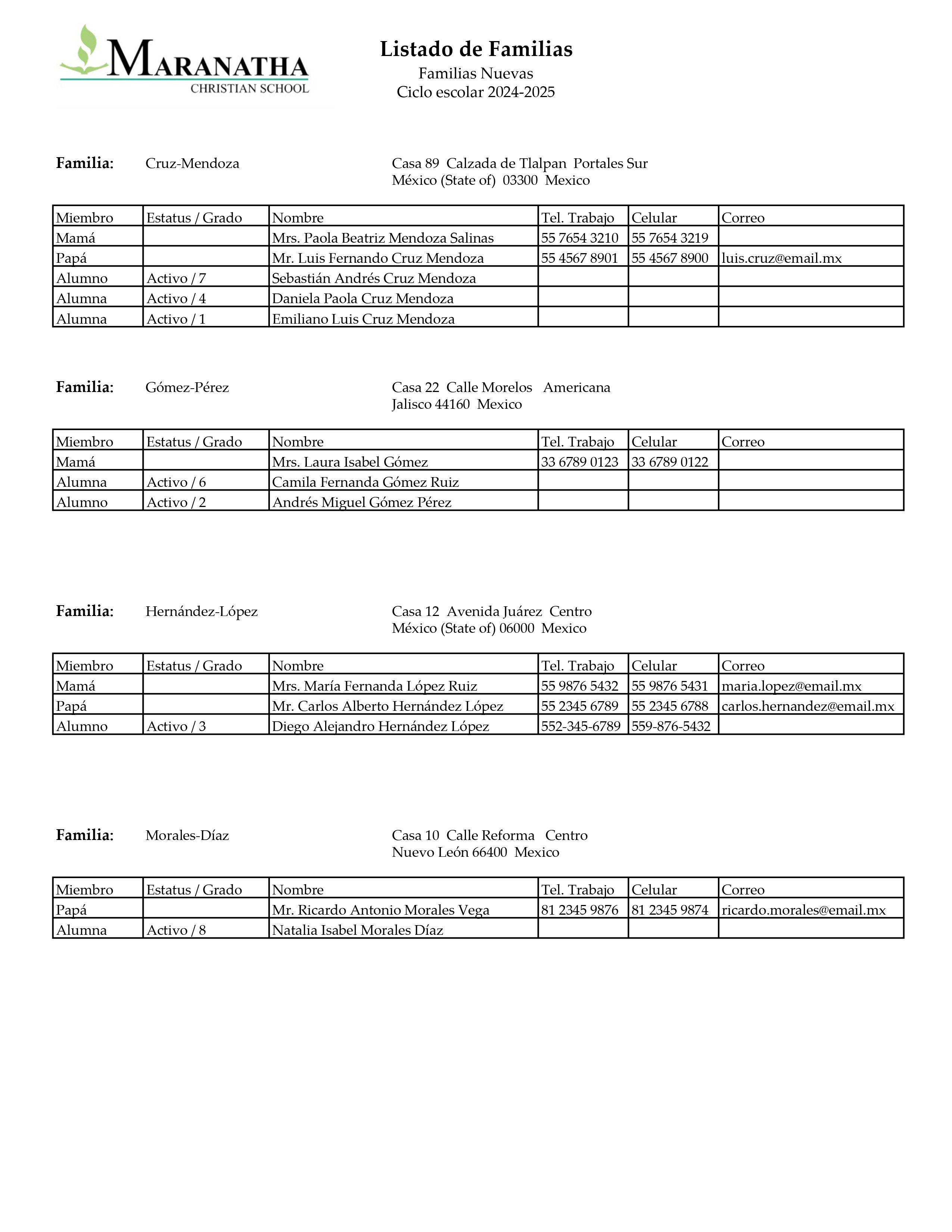
The Family Report provides a structured listing of families based on the students currently enrolled in the school at the time of report generation. It presents household-level information along with associated parents and students, including family name, residential address, student enrollment status, and grade level. Contact details such as work phone, mobile number, and email are displayed where available, supporting administrative reference, communication, and verification of family records.
Report Object Description
-
Familydetails
Object Label
Familydetails 1 ,Familydetails 2, Familydetails 3, Familydetails 4Screen
Contact ManagementDescription
Displays family-level information and associated family members for students currently enrolled in the school. This section displays the family name and address details at the top, followed by a table listing parents and students with their status/grade and available contact information.Query Used:
A. Family Name and Address :~(*powerquery;query=com.powerschool.dat.reports.students.familyname;fields=Familyname)
~(*powerquery;query=com.powerschool.dat.reports.students.familyname;fields=Building)
~(*powerquery;query=com.powerschool.dat.reports.students.familyname;fields=Street)
~(*powerquery;query=com.powerschool.dat.reports.students.familyname;fields=Neighborhood)
~(*powerquery;query=com.powerschool.dat.reports.students.familyname;fields=State)
~(*powerquery;query=com.powerschool.dat.reports.students.familyname;fields=Postal Code)
~(*powerquery;query=com.powerschool.dat.reports.students.familyname;fields=Country)B. Family Details
~(*powerquery;query=com.powerschool.dat.reports.students.familymembers;tableformat;
fields=MemberType,StatusGrade,FullName,HomePhone,MobilePhone,Email)
-
Important Notes:
-
<font size="10">is used to control the display size of the family header label (Familia) for consistent visual emphasis. -
<moveto 1.8, 8>and relatedmovetotags are used to precisely position the family name, address details, and member table within the report layout. -
The
tableformatparameter is used in the family members PowerQuery to render parent and student information in a structured tabular format. -
Data is generated based on students currently present in the school at the time of report printing.
-
Address and contact fields are displayed only when corresponding data is available.
-
The Special, Move to next record after printing this text option is enabled for the first three Familydetails objects to automatically advance to the next family after printing. This option is not enabled for the fourth Familydetails object to prevent an unnecessary page break at the end of the report
-