
This feature is an extension of the Duplicate Contact Prevention feature and is mainly targeted where contact matches are expected to be based on a unique ID (such as National ID) instead of Name, Address, Email, or Phone number match.
The Contact Match Criteria option is managed via System Management – Forms – Manage Contact Match Criteria, to support a contact match on the ID field instead of the current matching logic. This change will be applied to both cases where Contacts auto-match is enabled and disabled.
When the user selects a Default Configuration option, the system will continue to leverage the existing matching logic.
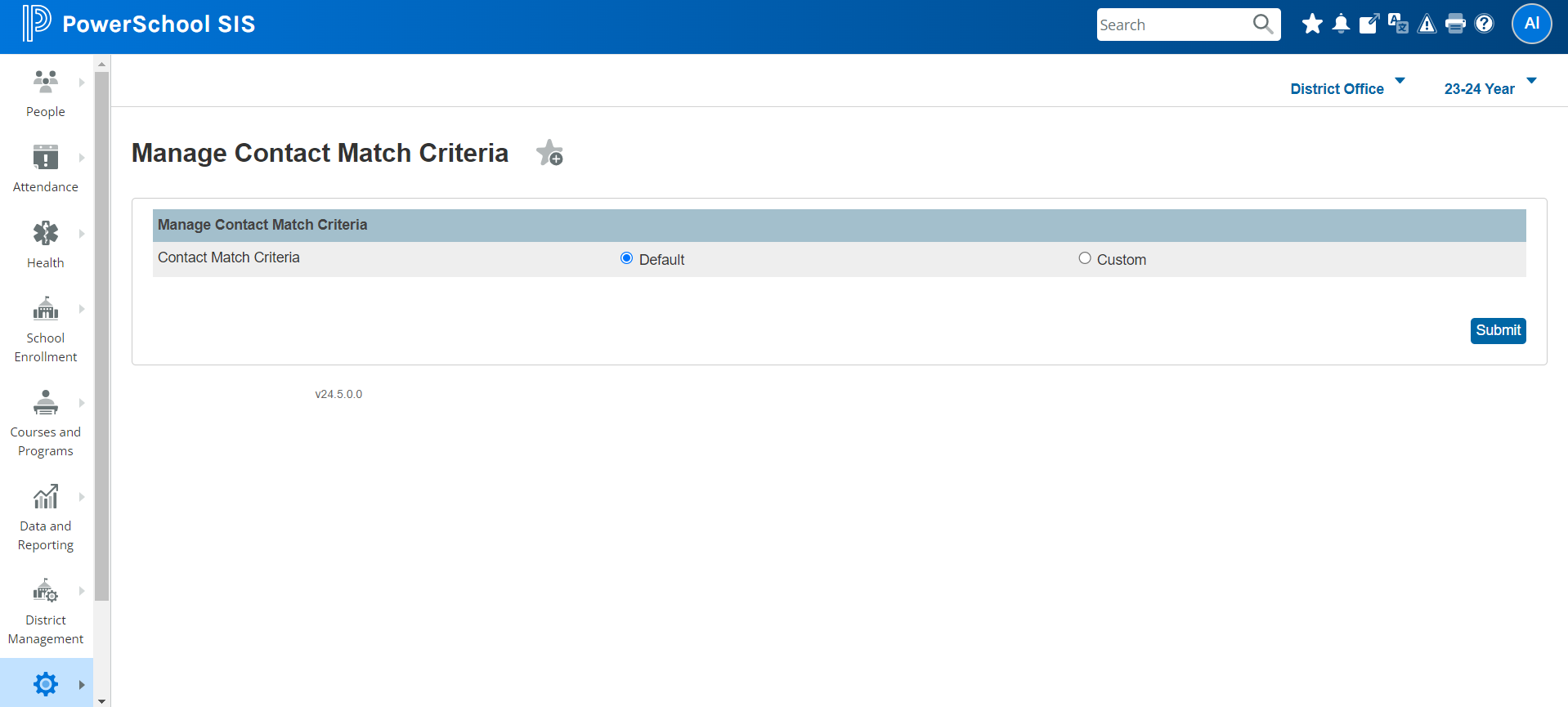
When the user selects a Custom Configuration option, they can configure the ID field they would like to capture to perform a match on. The ID field will be selected from the Person Schema.
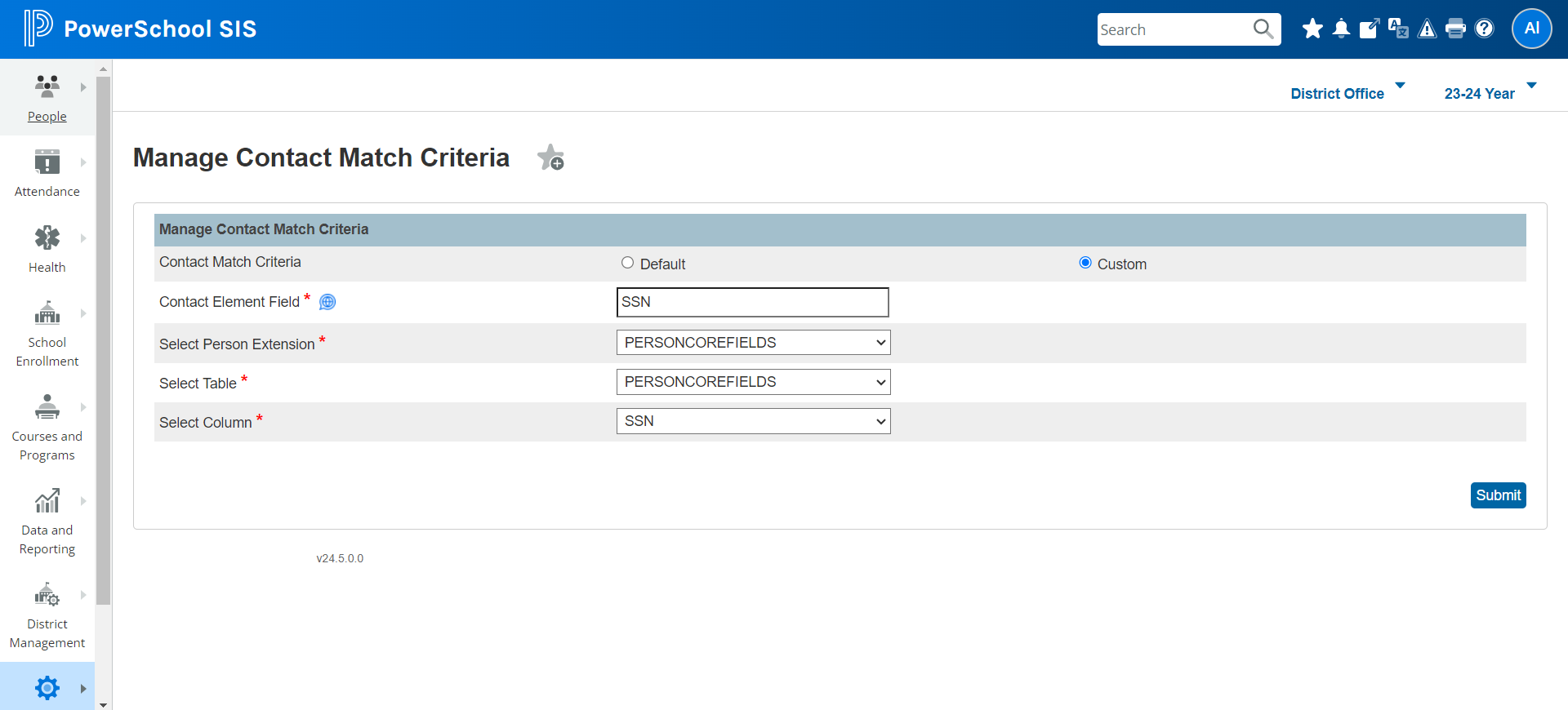
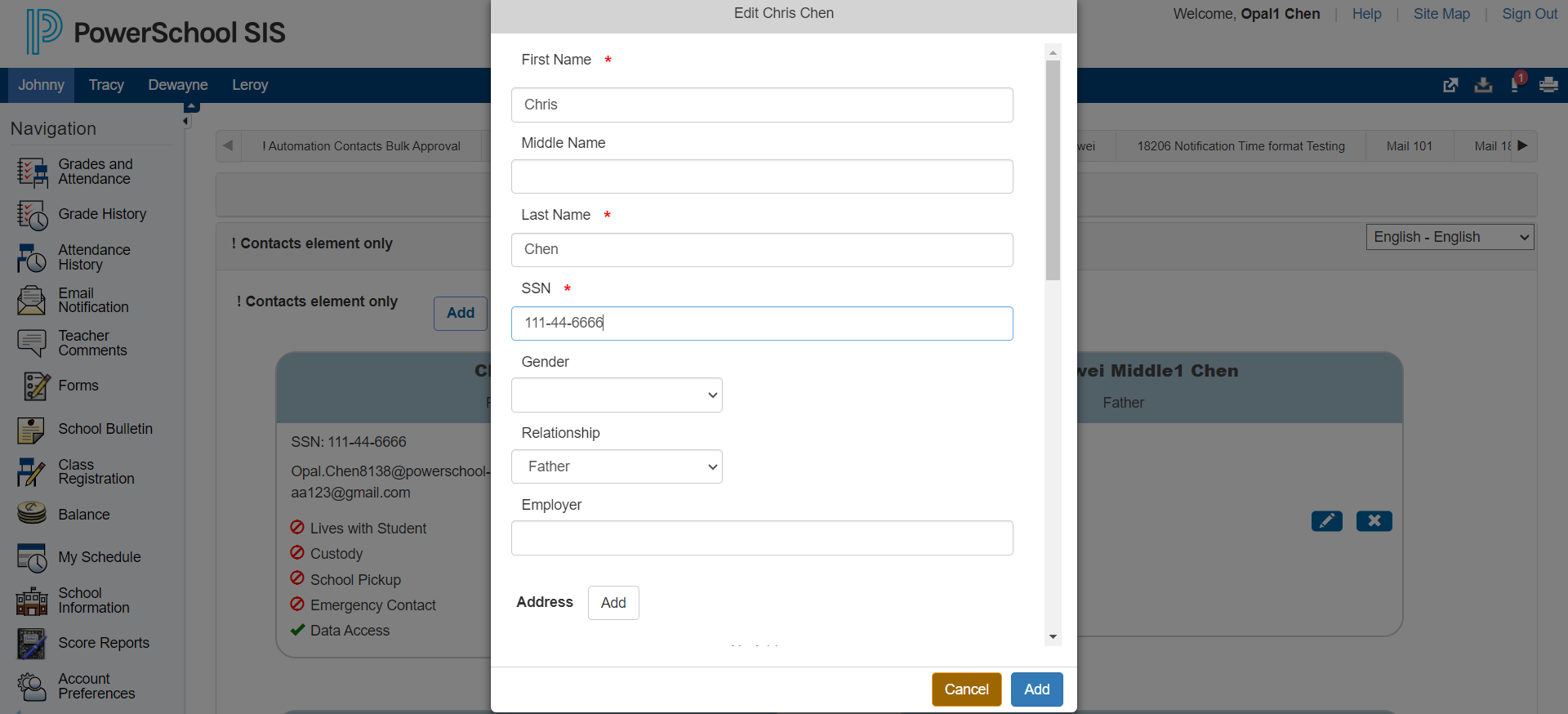
When a custom option is configured, the responder will be able to see the field in the edit contact window.
-
The configured field will be mandatory for all personas except administrators; that is, it cannot be empty.
-
Parents will be restricted from submitting a form if it is not available (both for existing and new contacts).
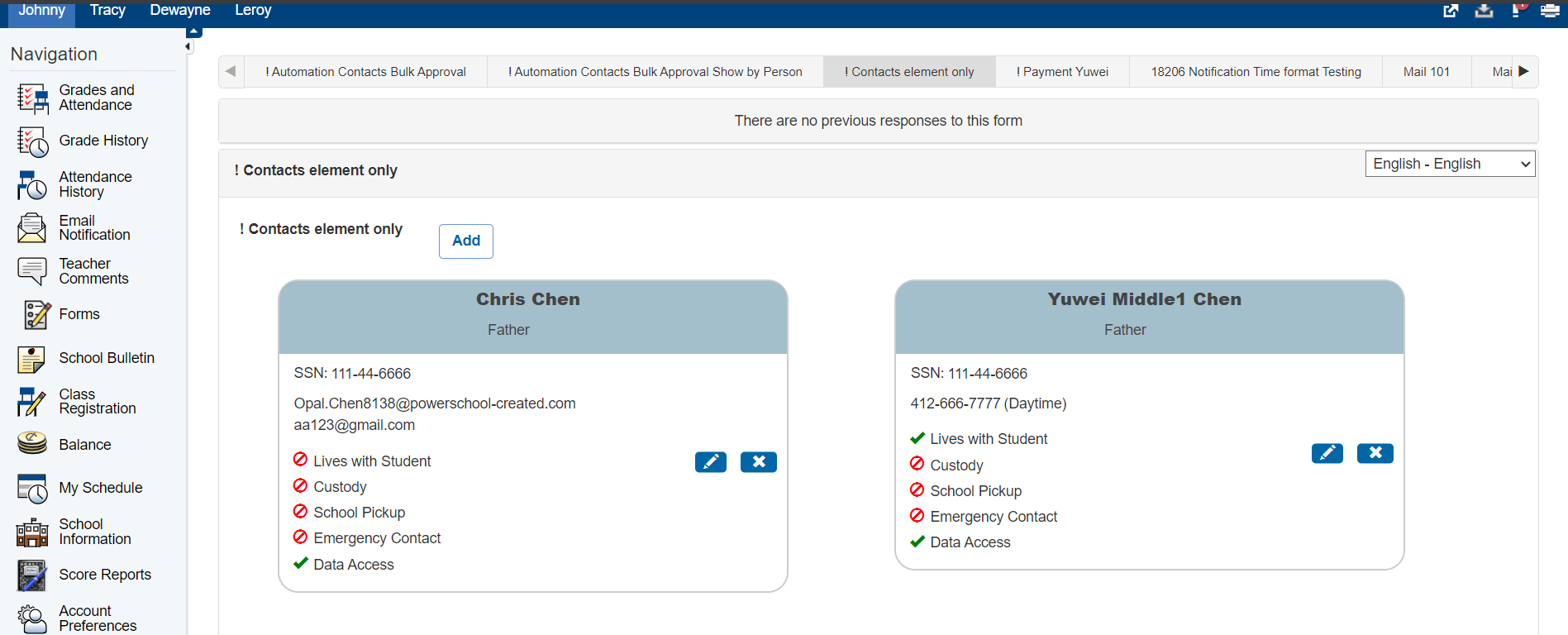
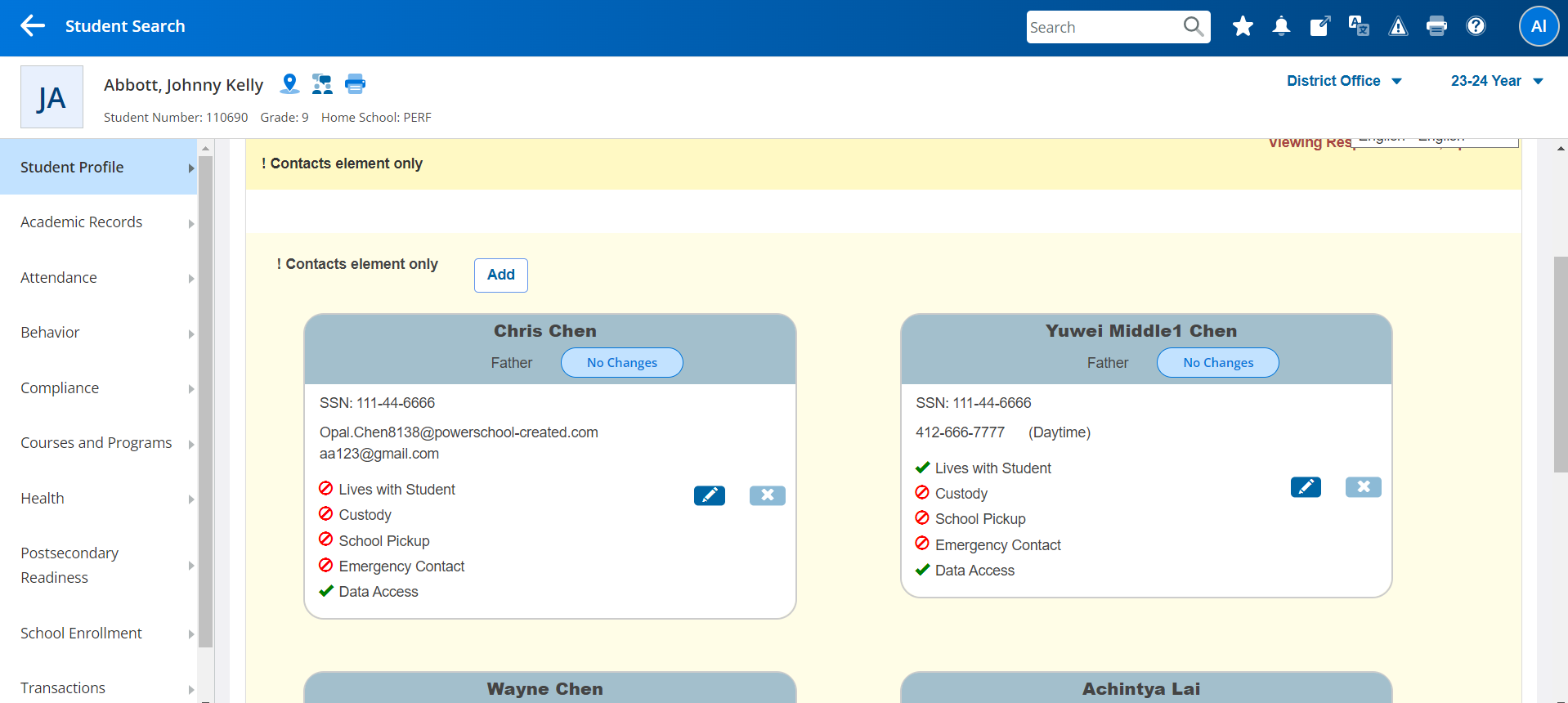
After adding a contact field, the ID field will be populated within the contact card.
As this feature requires the Duplicate Contact Prevention feature to be enabled, the approval and delivery of the contact data to PowerSchool SIS will be the same, except:
-
Addition of the Contact field configured in the Delivery to Person Schema.
-
Update to Matching Logic to populate Potential Matches using ID-based Match instead of the default match.
Matching Logic: Potential Matches with or without Auto-Match
When a new contact is added, the system compares the details against existing records in PowerSchool SIS.
-
When Auto-Match is disabled, the system applies matching logic on the mapped Person or Person extension field, OR exact matching to phone numbers and email addresses.
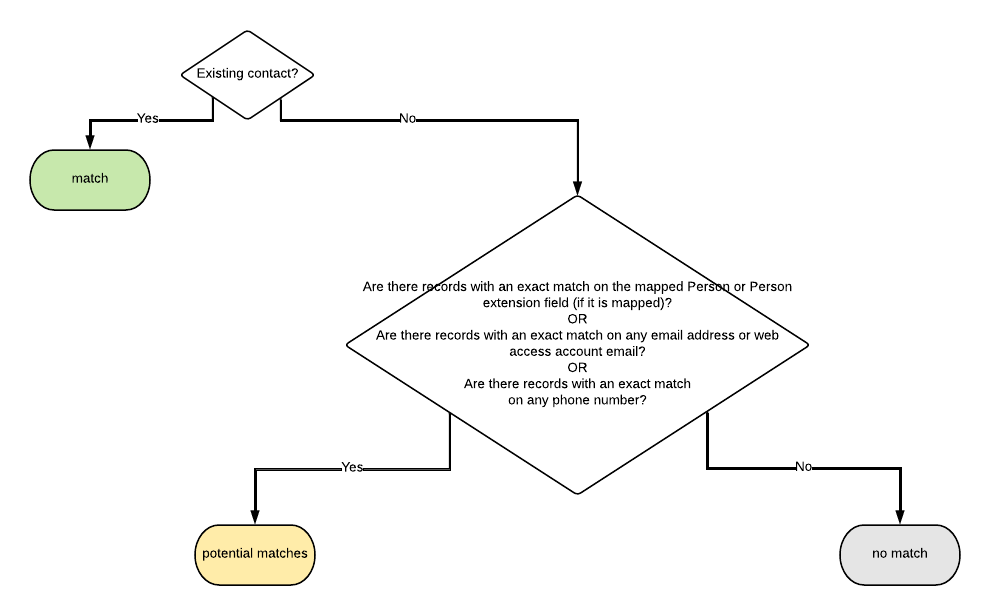
Potential Matches when Auto-Match is disabled
-
When Auto-Match is enabled, the system applies the auto-match option to show only that contact match when there are exact matches on the mapped Person or Person extension field, AND if there is only one match available. If there is more than one match, the system will continue to use potential matches, including those matches found based on the mapped Person or Person extension field, OR exact matching to phone numbers and email addresses.
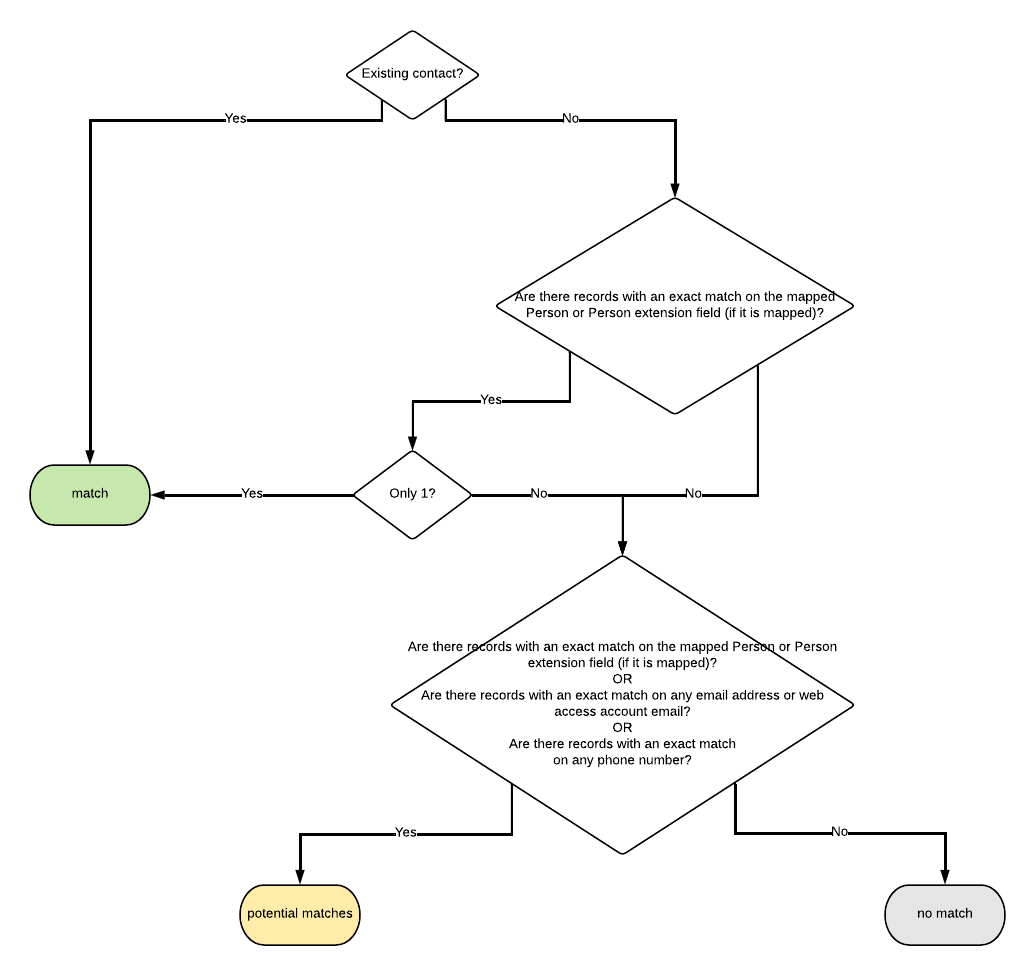
Potential Matches when Auto-Match is enabled